You are viewing an unreleased or outdated version of the documentation
Integrating Snowflake + dbt with Dagster Cloud Insights#
External metrics, such as Snowflake credits, can be integrated into the Dagster Insights UI. The dagster-cloud package contains utilities for capturing and submitting external metrics about data operations to Dagster Cloud via an API.
If you use dbt to materialize tables in Snowflake, use this guide to integrate Snowflake metrics into the Insights UI.
Prerequisites#
To complete the steps in this guide, you'll need:
A Dagster Cloud account on the Enterprise plan
Access to the Dagster Cloud Insights feature
To install the following libraries:
pip install dagster dagster-cloud dagster-dbt dagster-snowflakeNote: If you already have
dagster-cloudinstalled, make sure you're using version 1.5.1 or newer.
Step 1: Instrument your dbt asset definition#
First, instrument the Dagster @dbt_assets function with dbt_with_snowflake_insights:
from dagster_cloud.dagster_insights import dbt_with_snowflake_insights


@dbt_assets(...)
def my_asset(context: AssetExecutionContext):
    # Typically you have a `yield from dbt_resource.cli(...)`.
    # Wrap the original call with `dbt_with_snowflake_insights` as below.
    dbt_cli_invocation = dbt_resource.cli(["build"], context=context)
    yield from dbt_with_snowflake_insights(context, dbt_cli_invocation)
This passes through all underlying events and emits an AssetObservation for each asset materialization. The observation contains the dbt invocation ID and unique ID that are recorded in the Dagster event log.
Step 2: Update dbt_project.yml#
Next, add the following to your dbt project's dbt_project.yml:
query-comment:
  comment: "snowflake_dagster_dbt_v1_opaque_id[[[{{ node.unique_id }}:{{ invocation_id }}]]]"
  append: true
This allows you to add a comment to every query recorded in Snowflake's query_history table. The comments will contain the dbt invocation ID and unique ID.
Note: Make sure to include append: true, as Snowflake strips leading comments.
Step 3: Create a metrics ingestion pipeline in Dagster#
The last step is to create a Dagster pipeline that joins asset observation events with the Snowflake query history and calls the Dagster Cloud ingestion API.
To do this, you'll need a Snowflake resource (SnowflakeResource) that can query the query_history table. For example:
from dagster_snowflake import SnowflakeResource
from dagster import Definition, EnvVar

from dagster_cloud.dagster_insights import (
    create_snowflake_insights_asset_and_schedule,
)

snowflake_insights_definitions = create_snowflake_insights_asset_and_schedule(
    "2023-10-5",
    snowflake_resource_key="snowflake_insights",
)

defs = Definitions(
  assets=[..., *snowflake_insights_definitions.assets],
  schedules=[..., snowflake_insights_deifnitions.schedule],
  resources={
    ...,
    "snowflake_insights": SnowflakeResource(
      account=EnvVar("SNOWFLAKE_PURINA_ACCOUNT"),
      user=EnvVar("SNOWFLAKE_PURINA_USER"),
      password=EnvVar("SNOWFLAKE_PURINA_PASSWORD"),
    ),
 }
)
In this example, the snowflake_resource_key is a SnowflakeResource that has access to the query_history table.
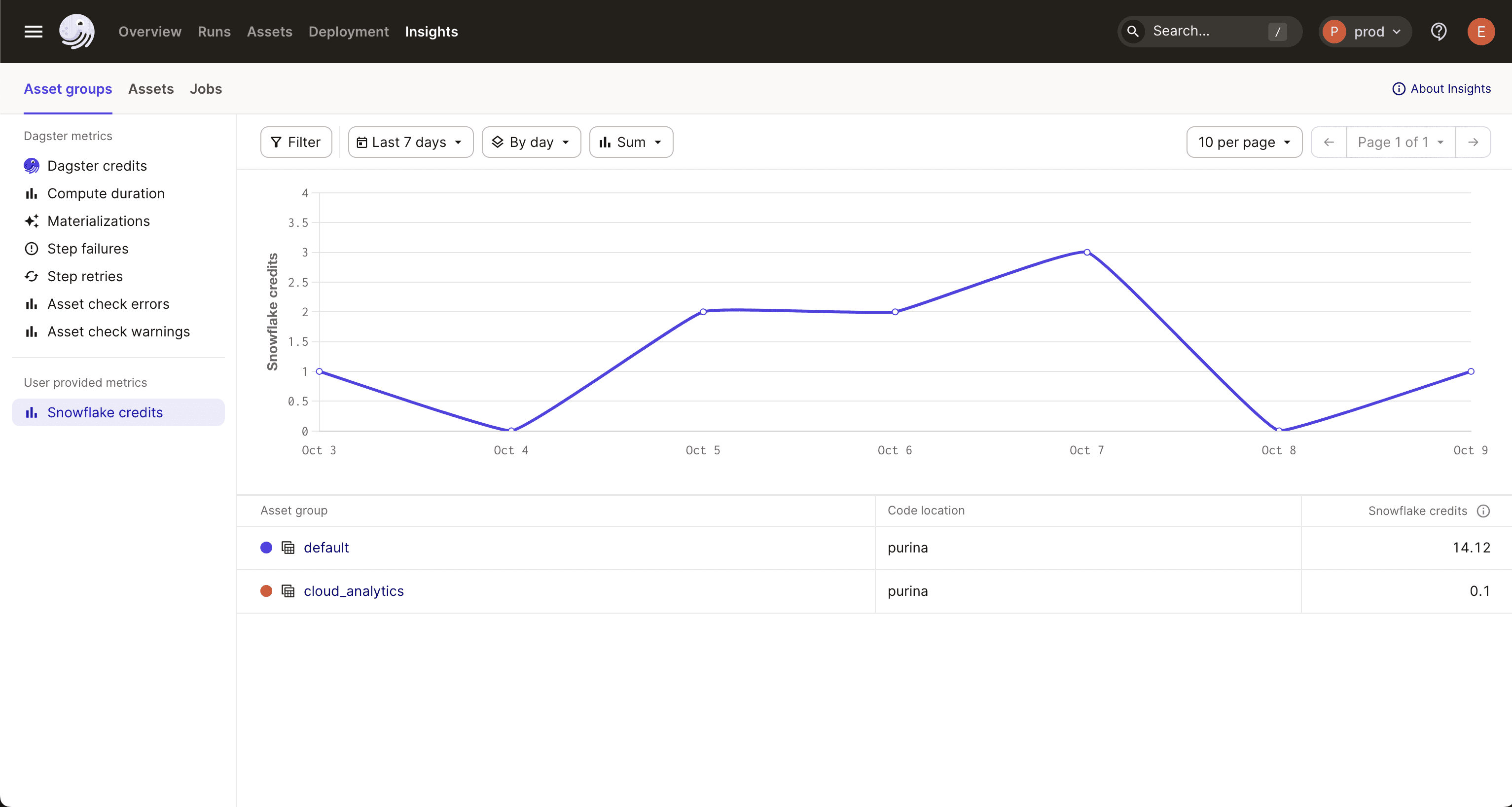
Once the pipeline runs, Snowflake credits will be visible in the Insights tab in the Dagster UI: